Installing an eSIM Before You Fly to Germany: Step by Step and Common Errors
Landing in Germany, a place of stunning efficiency and sometimes baffling bureaucracy, the very last thing you want is to be caught without a way to connect to the internet. Trust me, I’ve been there – squinting at airport Wi-Fi names that don’t seem to work, or trying to explain in broken German at a kiosk that all you need is data, data, data! It’s a classic expat initiation ritual, but it doesn't have to be yours. This comprehensive guide is here to save you from that particular headache, showing you exactly how to get connected before you even step foot on German soil using an eSIM, with a special focus on making your arrival smooth and stress-free with Airalo.
Disclosure: This post may contain affiliate links. We may earn a commission at no extra cost to you if you make a purchase through these links. Read full disclosure.
Why Bother with an eSIM Before You Even Land? The Peace of Mind You Deserve
Think about it: you’ve just gotten off a long flight, you’re potentially jet-lagged, you might have luggage to collect, and then you face the hustle and bustle of a new airport. The idea of immediately having mobile data, without having to find a local store, battle language barriers, or even touch a physical SIM card, is nothing short of revolutionary for travelers. It's not just about convenience; it's about eliminating a significant point of stress right at the beginning of your German adventure.
When you arrive in Germany, your phone is often your lifeline. You need it to navigate public transport, perhaps call a taxi, check Google Maps for your Airbnb or hotel, or even send a quick "I've landed!" message to loved ones back home. Relying on patchy, insecure airport Wi-Fi is a gamble you don't need to take. Not to mention, many German train stations and public areas might not have reliable free Wi-Fi as readily available as you might be used to in other countries. Having a working phone from the moment your plane touches down truly makes all the difference. Imagine the relief of being able to instantly look up a train connection without frantically searching for an available hotspot or dealing with expensive roaming charges from your home provider.
The beauty of an eSIM, especially one from a dedicated provider like Airalo, is that it’s all digital. It’s embedded directly into your phone, acting as a second SIM. This means you can keep your home country’s physical SIM card in your phone (and receive calls/SMS if you need to, though beware of roaming charges!) while using the eSIM for all your data needs in Germany. It’s like having the best of both worlds, and it's a far cry from the days of swapping tiny plastic cards or hoping your phone is unlocked. This approach is particularly helpful if you're planning on short trips around Germany or even further into Europe, as you can easily switch between data plans without fumbling with physical cards. For more on staying connected generally, check out our guide on Internet and Mobile Phone Plans in Germany.
Your Step-by-Step Guide to Installing an Airalo eSIM for Germany
Alright, let's get down to business. Setting up your eSIM with Airalo for your German trip is surprisingly straightforward, but a few key steps make all the difference. This isn’t rocket science, but paying attention to the details will ensure a smooth experience.
Step 1: Check Device Compatibility
Before you even start, ensure your phone is eSIM compatible and unlocked. Most modern smartphones (iPhone XS/XR and newer, Google Pixel 3 and newer, Samsung Galaxy S20 and newer, etc.) support eSIMs, but it’s always best to double-check your specific model. You can usually find this information in your phone's settings or with a quick online search. An unlocked phone is crucial because it allows your device to use cellular networks from different providers, which is exactly what an eSIM does. If your phone is still tied to a contract with your home provider, it might not work.
Step 2: Download the Airalo App and Choose Your German Plan
The first practical step is to download the Airalo app from your smartphone's app store (available on iOS and Android). Once installed, open the app and create an account if you don't already have one.
Next, you'll want to search for Germany or "Europe" if you're planning to travel beyond just Germany. Airalo offers various data packages tailored for different needs. Are you just coming for a quick weekend city break to Berlin, where you'll mostly be relying on Wi-Fi but need data for maps and emergencies? Or are you planning a longer, more adventurous trip across the Bavarian Alps or the Rhine Valley, requiring more data for navigation, photos, and staying in touch? You'll find options ranging from 1 GB for 7 days to larger bundles for 30 days or more. Read the descriptions carefully for validity periods and data allowances. Pick the plan that best suits your expected usage. Don't be shy about getting a slightly bigger plan than you think you need; running out of data mid-trip is a pain!
Step 3: Purchase Your Airalo eSIM
Once you've selected your ideal plan, proceed to purchase it within the Airalo app. You can usually pay with a credit card, PayPal, or other common payment methods. The process is secure and similar to any other online purchase. After successful payment, you'll receive a confirmation and the option to install your eSIM.
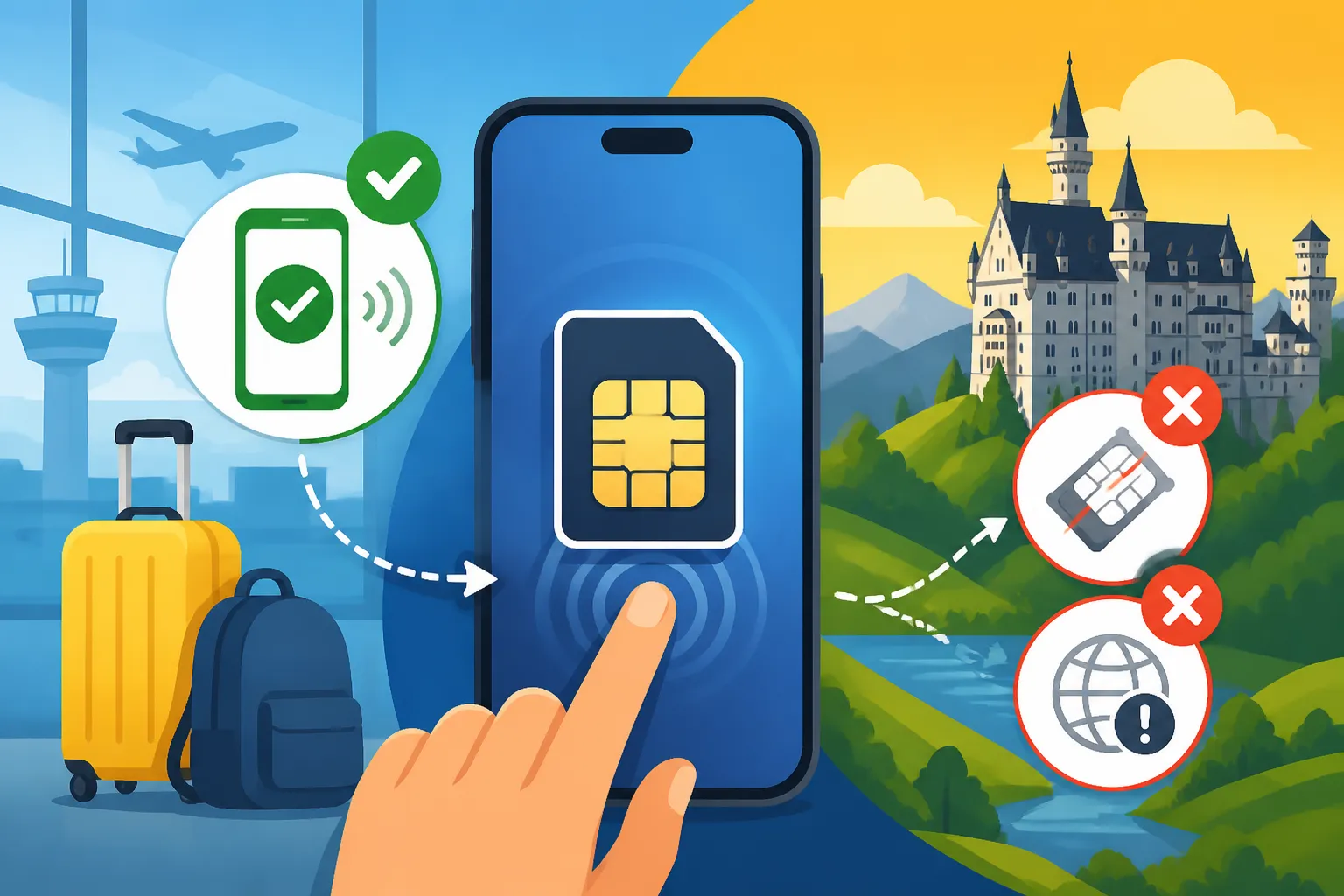
Step 4: Install Your eSIM (Crucial: Do This Before Your Flight!)
Here's where it gets important: install your Airalo eSIM while you still have a stable internet connection, ideally before you even leave your home country. This way, if you encounter any issues, you're not stranded in an airport trying to troubleshoot without Wi-Fi.
There are usually two main ways to install an eSIM:
- Direct Installation (Recommended for ease): Most modern phones allow you to tap a button in the Airalo app and it will automatically guide you through adding the cellular plan. Follow the on-screen prompts.
- QR Code: If direct installation isn't available or if you prefer, Airalo will provide a QR code. Go to your phone's cellular settings:
- iPhone: Go to Settings > Cellular (or Mobile Data) > Add eSIM (or Add Data Plan). Tap "Use QR Code" and scan the code provided by Airalo.
- Android: The path can vary slightly by manufacturer, but generally it's Settings > Network & Internet (or Connections) > SIMs > Add more (or +) > Download a SIM (or Add mobile network) > Scan QR code.
- You might be prompted to label your new eSIM (e.g., "Germany eSIM" or "Travel Data"). This is very useful for managing your connections later.
After installation, your phone will show a new cellular plan. Make sure to turn OFF data roaming for your primary (home country) SIM to avoid accidental charges. However, and this is key, do NOT turn on the Airalo eSIM's data roaming yet, nor select it as your primary data line, until you land in Germany. This prevents the validity period from starting prematurely.
Step 5: Upon Arrival in Germany: Activate and Connect
Once your plane has landed and you've safely disembarked (or even just after turning off airplane mode on the runway), you can activate your Airalo eSIM.
- Go to your phone's Cellular/Mobile Data settings.
- Select your newly installed Airalo eSIM (e.g., "Germany eSIM") as your primary source for mobile data.
- Crucially, enable Data Roaming for this new Airalo eSIM. Don't worry, with an eSIM like Airalo, "data roaming" simply refers to the eSIM connecting to local German networks; it's how it's designed to work, and it won't incur extra charges beyond your package.
- Your phone should now connect to a local German network. If it doesn’t immediately, try restarting your phone.
Within moments, you should see data flowing! You'll be able to access the internet, use your navigation apps, and send those much-anticipated "I'm here!" messages. This immediate connectivity is a game-changer, allowing you to instantly book a taxi or check Getting Around German Cities for public transport options without stress.
Common eSIM Installation Errors and How to Fix Them
Even the most technologically savvy among us can hit a snag. Don't panic if your Airalo eSIM isn't working right away. Most issues are easily fixable. I've been there, pulling my hair out, only to realize I missed a tiny setting. Here are some of the most common errors and how to troubleshoot them:
Error 1: "No Service" or "Searching" Upon Arrival
This is probably the most common head-scratcher. You've installed the eSIM, you're in Germany, but your phone just won't connect.
- The Fix:
- Did you enable Data Roaming for the Airalo eSIM? This is the number one culprit. Go to your phone settings (Cellular/Mobile Data), select your Airalo eSIM, and toggle Data Roaming ON. For most eSIMs, this is essential for them to work in a foreign country.
- Is the Airalo eSIM selected for mobile data? In your cellular settings, ensure your Airalo eSIM is designated as the primary source for mobile data. You'll likely have an option that says "Mobile Data" or "Default Data Line" where you select which SIM to use.
- Restart your phone. A classic IT solution, but often effective. A fresh boot can help your phone register with the local network.
- Check network selection. Sometimes your phone might try to connect to a network that's having issues. In your eSIM settings, look for "Network Selection" and try switching it from automatic to manual. You'll see a list of available German carriers (like Telekom, Vodafone, O2). Try selecting one manually. If that doesn't work, try another.
- Check APN settings. In rare cases, the Access Point Name (APN) might not be set correctly. Airalo usually sets this automatically, but if you're still stuck, check the Airalo app or website for the correct APN for your German eSIM and input it manually in your phone's cellular settings under APN.
Error 2: "eSIM Not Added" or Installation Failure
You tried to install it, but your phone just wouldn't accept it.
- The Fix:
- Internet Connection while installing. Did you have a stable Wi-Fi connection when attempting the installation? eSIMs need internet to download their profile. Try again with a strong Wi-Fi signal.
- QR code issues. If using a QR code, ensure it's not blurry or too dark. Hold your phone steady and try again. Sometimes just taking a screenshot of the QR code and scanning that from another screen can work too.
- Device Compatibility. Reconfirm your phone is indeed eSIM compatible and unlocked. If it’s locked to your home carrier, an eSIM from another provider simply won’t work.
- Restart and retry. Sometimes your phone just needs a kick. Restart and attempt the installation process again.
Error 3: Data Runs Out or Doesn't Last as Expected
You thought you had enough, but suddenly you're out of data.
- The Fix:
- Monitor usage. Actively monitor your data usage through your phone's settings (Cellular/Mobile Data) and the Airalo app itself. The app usually shows real-time data consumption.
- Background App Refresh. Many apps use data in the background without you realizing it. Go into your phone's general settings, find "Background App Refresh" and turn it off for apps that aren't critical.
- Automatic Updates. Similarly, app updates can consume a lot of data. Set your phone to only update apps over Wi-Fi.
- Streaming & Video. Be mindful of streaming video, video calls, or heavy photo uploads. These are data hogs. Save them for when you have Wi-Fi.
- Top up. The good news with Airalo is that you can often easily top up your data directly through the app if you run low. Better to top up than be caught without!
Here's a handy troubleshooting table for quick reference:
| Problem | Common Causes | Quick Fixes |
|---|---|---|
| No Service / No Internet on Arrival | Data Roaming OFF for eSIM, Wrong SIM selected, Network issues | 1. Enable Data Roaming for Airalo eSIM. 2. Select Airalo eSIM for mobile data. 3. Restart phone. 4. Try manual network selection. 5. Check/set APN settings. |
| eSIM Installation Failed | No Wi-Fi during install, Blurry QR, Phone locked | 1. Ensure stable Wi-Fi during installation. 2. Clear/well-lit QR code. 3. Confirm phone is unlocked. 4. Restart phone and retry. |
| Data Running Out Quickly | Background apps, Auto updates, Heavy usage | 1. Monitor data usage. 2. Disable Background App Refresh. 3. Set apps to update over Wi-Fi only. 4. Reduce streaming/video calls. 5. Top up if needed. |
| Home SIM Accidental Roaming Charges | Data Roaming ON for home SIM | 1. Turn OFF Data Roaming for your primary (home country) SIM. |
| Can't Make Calls/Send SMS | Airalo is data-only | Remember, Airalo eSIMs are generally data-only. Use WhatsApp, FaceTime, or other VoIP apps for calls/messages. |
Remember, the Airalo app itself usually has a helpful support section or FAQ if you encounter a unique issue. Don’t hesitate to use it!
Activating and Using Your eSIM Upon Arrival in Germany
You've landed, you've gone through immigration, maybe picked up your luggage, and now it's time to connect. This is the moment your preparation pays off!
The First Connection: Instant Gratification
Once you’ve followed the activation steps (selecting the Airalo eSIM for data and enabling data roaming for it), your phone should connect to a local German network within a minute or two. You’ll see the network name appear (e.g., "Telekom.de," "Vodafone DE," or "O2-DE") alongside your signal bars. That satisfying moment when messages start pinging through, and your map loads perfectly, is pure bliss for an expat. You can then immediately use your phone to navigate public transportation, find your way to your accommodation, or simply let friends and family know you’ve arrived safely. Knowing you have reliable data makes exploring a new city so much less daunting. For getting around on public transport, you can even check our guide on The Deutschland-Ticket and Is It Worth It?.
Managing Your Data and Topping Up
While using your Airalo eSIM, it’s a good habit to periodically check your data usage. Both your phone's settings and the Airalo app will provide a usage tracker. This helps you avoid unexpectedly running out of data. If you find yourself chewing through data faster than anticipated (those Instagram stories add up!), don't fret. Airalo makes it incredibly easy to top up your existing plan or purchase a new one directly through their app. This flexibility means you’re never truly disconnected, even if your travel plans extend or your data needs change. It’s a huge relief compared to hunting for a top-up voucher in a foreign language.
What About Calls and Texts?
It's important to remember that most international eSIMs like those from Airalo are primarily for data. This means they generally don't come with a German phone number for traditional calls and SMS. But honestly, in today's world, that's rarely an issue. Most expats and travelers rely on VoIP (Voice over Internet Protocol) apps like WhatsApp, FaceTime, Google Meet, or Skype for communication. These apps use your data connection to make calls and send messages, effectively replacing traditional phone services. Since your Airalo eSIM provides the data, you’re good to go. You can even use your home country's number with these apps, so your contacts don't need to save a new number.
The convenience of having immediate, reliable data from the moment you land cannot be overstated. It transforms your arrival from a potential bureaucratic battle into a smooth transition, letting you focus on the excitement of exploring your new surroundings. Whether you're here for a short holiday or considering a longer stay, getting your digital ducks in a row with an Airalo eSIM is a smart move. And once you're settled, you might find our guide on Finding English-Speaking Services particularly useful!
Exploring Germany with Confidence
With your Airalo eSIM humming along, you’re now ready to explore Germany with a confidence that only uninterrupted connectivity can provide. You can dive into topics like German Food Culture or check out Germany's Great Cities: Berlin, Munich, Hamburg, and Beyond without worrying about getting lost or being unable to look up recommendations on the fly. You'll be able to quickly understand German Language and Everyday Communication for Visitors by using translation apps. The ability to confirm opening times, read reviews, or simply share your travel moments instantly makes the experience richer and less stressful. This small step in preparation makes a huge difference in your overall trip enjoyment.
Disclaimer
Please note that while we strive to provide accurate and up-to-date information, rules and offerings for telecommunications providers and immigration policies in Germany can change. Always check the latest information directly from official sources and the service provider (like Airalo) before making any decisions. This guide is for informational purposes only and does not constitute official advice.