How to Use the DB Navigator App in Germany
Oh, the DB Navigator app! If you've been living in Germany for any length of time, you've probably already had a few run-ins with Deutsche Bahn, the national railway company. It's a love-hate relationship, isn't it? On one hand, Germany's train network is generally efficient and can whisk you across the country, through charming towns, and even into neighboring countries with relative ease. On the other hand, the sheer complexity of tickets, the legendary Verspätungen (delays), and the often-baffling German-only information can make you want to pull your hair out. But here's the secret weapon that most expats quickly learn to rely on: the DB Navigator app. This isn't just another train app; it's your personal guide, translator, and crisis manager for navigating the German rail system. This guide will walk you through how to use it, turning potential headaches into smooth journeys.
Disclosure: This post may contain affiliate links. We may earn a commission at no extra cost to you if you make a purchase through these links. Read full disclosure.
Why the DB Navigator App is Your Expat Lifeline
When you first arrive in Germany, everything feels like a puzzle. From Understanding German Rental Contracts: Key Terms and Conditions to deciphering your mail, the bureaucracy can be overwhelming. Public transport is no different. You'll quickly realize that Germany's train network isn't just about getting from A to B; it's a critical part of life here, whether you're commuting to work, exploring new cities, or visiting friends. The DB Navigator app cuts through a lot of that initial confusion and frustration, making it an indispensable tool for anyone living or traveling in Germany.
Cutting Through the German Bureaucracy and Language Barriers
Let's be real: German bureaucracy is a beast, and public transport comes with its own lexicon. Imagine trying to figure out which platform your train is departing from when all the signs are in rapid-fire German, or trying to understand why your connection was just canceled. The DB Navigator app offers a lifeline. You can set the app to English, immediately making schedules, updates, and even ticket purchasing far more accessible. This alone is a huge relief when you're trying to figure out if your train to Hamburg is still on time or if you need to sprint to another platform. Without it, you'd be squinting at yellow departure boards, hoping someone nearby speaks English, or feeling completely lost, especially during those inevitable moments when things don't go according to plan.
Real-Time Information at Your Fingertips
German trains are famously punctual… until they're not. Delays, cancellations, and platform changes are an unfortunate reality of train travel here. This is where the DB Navigator truly shines. It provides real-time updates on your specific journey. Is your train running late? Has the platform changed? Did a connecting train just get canceled? The app will tell you, often before the station announcements do, and certainly before you manage to decode them. This immediate access to information allows you to react quickly, whether that means grabbing a coffee, finding an alternative connection, or simply taking a deep breath and accepting your fate. For many expats, it's this feature that transforms train travel from a source of constant anxiety to a manageable part of life. Plus, if things go really sideways, knowing the real-time situation can help you adjust plans, perhaps even finding a last-minute hotel on Booking.com if you're stranded overnight.
Getting Started: Downloading, Setting Up, and Those First Crucial Steps
Ready to empower your train travels? The first steps are thankfully quite straightforward, even if the world of German trains sometimes feels anything but.
Downloading and Initial Setup
Finding the DB Navigator app is as simple as heading to your device's app store (Google Play Store for Android, Apple App Store for iOS) and searching for "DB Navigator." It's a free download, so no commitment there. Once installed, the app will typically ask for a few permissions, like location access, which is helpful for finding nearby stations or providing more accurate real-time updates.
Upon opening, you'll immediately notice the option to select your language. Phew! Choose English, and breathe a sigh of relief. This simple step bypasses a significant hurdle for many newcomers. The interface is generally quite intuitive, designed to get you searching for connections right away.
Creating an Account or Going Incognito
While you can use the DB Navigator app without creating an account, I strongly recommend setting one up. It makes life so much easier. When you create a "Mein Bahn" account (My Train account), you can:
- Store your personal details: No more typing your name and payment information for every ticket purchase.
- Manage your tickets: All your purchased tickets are neatly stored in the "My Tickets" section, accessible even offline. This is crucial for showing to the ticket inspector.
- Integrate your BahnCard: If you have one of Deutsche Bahn's discount cards (BahnCard 25, 50, or 100), linking it means discounts are automatically applied to your searches and purchases.
- Access "Fahrgastrechte": In case of significant delays or cancellations, claiming compensation is much simpler when your tickets are already linked to your account.
- Set up favorite connections: For your regular commute or frequent trips, saving a connection can save you precious minutes.
Creating an account is free and usually just requires an email address and a password. It's an investment in your future sanity when dealing with German trains.
Understanding the Interface: Navigating the Main Screen
The main screen of the DB Navigator is pretty uncluttered, thankfully. You'll typically see:
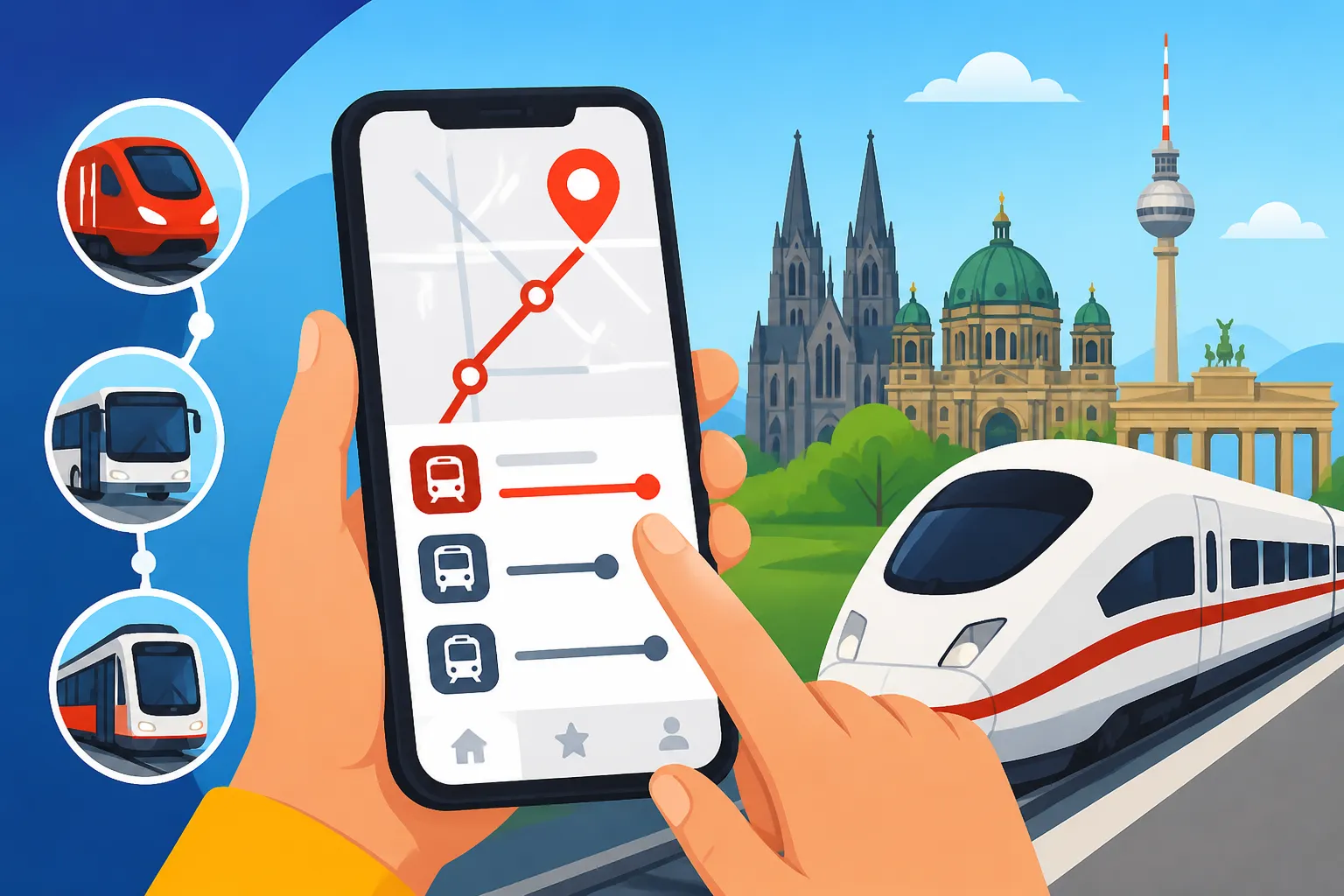
- Journey Planner: This is your bread and butter, usually a prominent search bar where you input your departure and arrival stations, date, and time.
- My Trip: This section becomes active once you've purchased a ticket or saved a specific connection. It tracks your current or upcoming journey, providing live updates.
- My Tickets: All your digitally purchased tickets are stored here.
- Profile/More: This usually leads to settings, account management, BahnCard details, and other less-frequent options.
Don't be intimidated by the initial look. Focus on the "Journey Planner" first. That's where 90% of your interactions will begin. Think of it like a personalized version of those big yellow boards you see at the station, but far more detailed and in your chosen language.
Mastering Your Journey: Finding Connections, Buying Tickets, and Real-Time Updates
Now for the fun part: actually using the app to get from A to B. This is where the DB Navigator truly empowers you.
Searching for Connections: Your Digital Travel Agent
The core function of the app is its journey planner.
- Inputting Details: Tap on the search bar (usually labeled "Where to?"). You'll be prompted for a "From" (departure) and "To" (arrival) location. The app is smart and will suggest stations, addresses, and even points of interest as you type. For instance, if you type "Munich Hbf," it will likely auto-complete to "München Hbf," the main station.
- Date and Time: Next, select your desired date and time. You can choose to search for "Departure" or "Arrival" times, which is super handy if you need to arrive by a certain hour.
- Adding Via Stations or Travelers: For more complex trips, you can add "via" stops if you want to route through a specific city. You can also specify the number of travelers and their ages, which is important for applying family discounts or student fares, especially for longer journeys.
Once you hit "Search," the app will present you with a list of available connections. Each connection will show:
- Departure and Arrival Times: Including the duration of the journey.
- Train Type: ICE (high-speed), IC/EC (intercity/eurocity), RE (regional express), RB (regional train), S-Bahn (suburban train). Knowing the train type gives you an idea of speed and comfort.
- Number of Changes: Clearly indicating how many times you'll need to switch trains.
- Price: An initial price estimate, which can vary depending on ticket flexibility.
Understanding Connection Details: The Nitty-Gritty
Tapping on a specific connection reveals a wealth of detail that can save you a lot of stress. This is where you get the granular information:
- Platforms (Gleis): Crucial for knowing exactly where to wait. Keep an eye on these, as they can sometimes change last-minute, especially at larger stations like Berlin Hauptbahnhof.
- Transfer Times: The app clearly displays how long you have to change trains. If it's a tight connection (e.g., 5 minutes), be prepared to move quickly, especially if your first train is running late.
- Route Overview: A visual map of your journey with all stops.
- "Show intermediate stops": Very useful for knowing exactly which towns your train will pass through.
- "Information about this train": Sometimes, you'll find details about onboard services, like Wi-Fi, dining cars (Bordrestaurant/Bordbistro), or bike carriage options.
Remember that Deutsche Bahn Guide: Using Trains for City and Long-Distance Travel offers a deeper dive into the different train types and how to navigate larger stations.
Buying Tickets: Your Digital Wallet for German Rails
Once you've found your ideal connection, buying a ticket is just a few taps away.
- Select Your Fare: You'll be presented with various fare options. These typically include:
- Sparpreis (Savings Fare): Often the cheapest, but usually non-refundable and tied to a specific train. Booking these well in advance, similar to how you might book flights or tours on GetYourGuide, can save you a lot.
- Flexpreis (Flexible Fare): More expensive, but allows for greater flexibility regarding train choice and cancellations.
- Länder-Tickets/Quer-durchs-Land-Ticket: Regional or national day tickets, great for group travel, but only valid on regional trains (RE, RB, S-Bahn).
- Deutschland-Ticket: If you have this monthly subscription, the app will automatically recognize it for eligible routes. If you're wondering What Is the Deutschland-Ticket and Is It Worth It?, it's definitely something to consider if you use regional public transport frequently.
- Add Seat Reservation (Optional but Recommended): For longer journeys, especially on ICE trains during peak times, a seat reservation is a sanity saver. It costs a few extra euros but guarantees you a spot. If you don't reserve, you might find yourself standing in the aisle for hours.
- Payment: The app supports various payment methods, including credit card, PayPal, and sometimes SEPA direct debit. Your payment details can be saved for future purchases.
- Confirm and Receive Ticket: After payment, your ticket will appear directly in the "My Tickets" section of the app. It's a digital ticket with a QR code that the conductor will scan. You'll usually also receive an email confirmation.
It's important to remember that for some international connections or more complex journeys, you might also compare prices on platforms like Omio, which can sometimes offer slightly different routes or combinations, or even bus alternatives if you're looking for the absolute cheapest option for Long-Distance Buses in Germany: FlixBus and Networks.
Real-Time Information and Push Notifications: Your Personal Travel Assistant
This is arguably the most valuable feature for smooth train travel in Germany.
- "My Trip" View: Once you've bought a ticket or added a journey to "My Trip," you'll see a dynamic view of your journey. This updates constantly. It shows your current location on the route, estimated arrival times, and any delays.
- Push Notifications: Enable push notifications for the DB Navigator! Seriously, do it. The app will send you alerts about:
- Upcoming departures.
- Delays to your specific train.
- Platform changes.
- Cancellations.
- Information about alternative connections if your original one is severely disrupted.
These notifications are golden. I've had countless times where a notification about a platform change saved me from waiting on the wrong track, or an alert about a delay meant I could grab another coffee instead of rushing. This proactive information empowers you to make informed decisions and reduces stress significantly. If you're a regular traveler, checking How Early Should You Book ICE Trains in Germany? can also help you secure better prices and potentially avoid some of the busiest, delay-prone times.
Beyond the Basics: Advanced Features and Troubleshooting for the Savvy Traveler
Once you're comfortable with the core functions, the DB Navigator app offers several advanced features and troubleshooting tools that can further enhance your travel experience.
Managing Your Digital Tickets
The "My Tickets" section isn't just a storage locker. It's an active part of your journey:
- QR Code: This is what the conductor scans. Always have it ready.
- Ticket Details: Tap on your ticket to see all the specifics: passenger names, route, date, time, and seat reservation (if applicable).
- Offline Access: Your tickets are available even without an internet connection, which is crucial when you're in a tunnel or a rural area with spotty reception.
- Cancellations/Changes: For flexible tickets, you might be able to manage changes or cancellations directly through the app, though often for Sparpreis tickets, this isn't an option.
BahnCard Integration
As mentioned earlier, if you have a BahnCard, make sure it's linked to your "Mein Bahn" account in the app. This means all your ticket searches and purchases will automatically apply the relevant discount (25%, 50%, or 100%). When the conductor checks your ticket, they will also scan your digital BahnCard directly from the app. It's far more convenient than carrying the physical card, which sometimes takes ages to arrive in the mail anyway!
Seat Reservations
Beyond buying one with your ticket, you can often make standalone seat reservations via the app if you've already purchased a flexible ticket separately. This is a small cost but offers significant peace of mind, especially on popular routes or during holiday periods. Just search for your train, and look for the option to "Reserve seat only." This is especially useful for High-Speed Trains in Germany (ICE): Deutsche Bahn Routes and Savings, where comfort for longer journeys is paramount.
Deutschland-Ticket Management
For anyone with the monthly Deutschland-Ticket, the DB Navigator app often serves as your digital ticket. You can manage your subscription, view the validity of your ticket, and cancel it (observing the relevant notice periods) directly within the app. It's streamlined and easy, ensuring you're always covered for Regional Trains and the Deutschland-Ticket Explained across the country.
Dealing with Delays and Cancellations: The "Fahrgastrechte" Button
Ah, the infamous Verspätung! If your train is significantly delayed (60 minutes or more) or canceled, you might be entitled to compensation under Germany's "Fahrgastrechte" (passenger rights). The DB Navigator app makes this process less painful.
- Find Your Delayed Journey: Go to "My Tickets" or "My Trip."
- Look for the "Fahrgastrechte" button: This typically appears on eligible delayed journeys.
- Fill out the digital form: The app will pre-populate much of the information, including your journey details and the extent of the delay. You'll need to confirm details and submit.
This digital process is a huge improvement over the old paper forms you used to have to get from the service counter (if you could find one open, and if they had forms in English!). You might still need to scan your ticket or provide other proof, but the app streamlines the initial steps. Understanding your rights here is part of Travel Logistics in Germany: Money, Safety, and Connectivity.
Language Settings and Accessibility
As mentioned, setting the app to English is a game-changer. You can find this option usually in the "Profile" or "More" section under "Settings." While the app itself is quite accessible, it's worth noting that station announcements, especially from regional providers, will still be in German. However, having the app's clear, written information in English empowers you to understand what's happening and react accordingly. If you're traveling internationally, the app can also display relevant information for connections in neighboring countries, though buying tickets for purely international legs might still require external sites or apps like Omio.
In summary, the DB Navigator app is more than just a convenience; it's a necessity for expats in Germany. It demystifies the train system, provides critical real-time information, and simplifies ticket purchasing and post-travel compensation. Don't leave home without it, and may your trains always run on time!
Disclaimer
Please note that while this guide provides comprehensive information, rules and features of the DB Navigator app and Deutsche Bahn services can change. Always refer to the official Deutsche Bahn website or the app's help section for the most current information. Prices, availability, and specific conditions for tickets and services are subject to change without notice. This guide is for informational purposes only and does not constitute official advice.