How to Use a Translation App Offline in Germany
Picture this: you’re on a regional train somewhere between Freiburg and Titisee, the signal bars drop to zero, and a conductor asks you something in rapid German. Your translation app shows a spinning wheel. This guide shows you how to set up a translation app offline in Germany before you leave Wi-Fi behind, so it still works when the signal is gone.
Disclosure: This post may contain affiliate links. We may earn a commission at no extra cost to you if you make a purchase through these links. Read full disclosure.
Why Offline Translation Matters in Germany
I arrived in Germany assuming the country would be wall-to-wall 5G. Then my first train trip into the countryside taught me otherwise. Germany has excellent infrastructure in many areas, but mobile coverage is patchy in ways that surprise most visitors. A dead translation app at the wrong moment is a small crisis.
The Dead Zones Nobody Warns You About
Long-distance trains are the classic trouble spot. You can be on a fast ICE between Hamburg and Berlin and lose data for ten or fifteen minutes at a time, especially in cuttings and rural stretches. If you want the technical background, Data Coverage on German Trains: Why ICE Signal Drops and What Helps explains why this happens. The practical lesson is simple: never rely on a live connection for translation while you’re moving.
The mountains and forests are worse. Hiking in the Bavarian Alps, the Harz, or deep in the Black Forest valleys, you can go a long time without usable data. If you’re heading into that kind of terrain, Mountain and Forest Signal Reality: Where German Networks Actually Drop is worth reading first. Those are exactly the places where you’re likely to meet a Gasthof owner, a hut warden, or a bus driver who speaks only German.
Then there are the everyday blind spots. U-Bahn stations deep underground, thick-walled old buildings, basement restaurants in historic town centres, and hotel rooms where the Wi-Fi only works near reception. I’ve stood in a Munich Apotheke trying to explain a symptom while my phone refused to load anything. That’s when I started preparing everything offline.
When You Need Translation Most
Translation emergencies in Germany rarely happen in tourist hotspots. In central Berlin or near Cologne Cathedral, plenty of people will switch to English for you. For an honest picture of where English works and where it doesn’t, see Do People Speak English in Germany’s Tourist Areas?. Outside those areas, especially in small towns and with older people, you’ll often be on your own.
The moments that matter are usually practical. They include reading a handwritten sign on a closed shop door, understanding a rail replacement bus notice, checking allergens on a supermarket label, or reading a menu that only exists in German. Typing these into an app that needs a connection is slow even when it works. Offline camera translation turns a five-minute struggle into a five-second glance.
Roaming and Data Costs Add Up
Even when you do have signal, constant translation uses data, especially camera and voice features. If you’re on a limited travel plan, you’ll burn through it faster than you expect. Reading up on Mobile Data and eSIMs for Travel in Germany helps you choose a sensible plan. Downloading your language files in advance means translation costs you nothing once you’re out exploring.
Step-by-Step Setup Before You Leave Wi-Fi
The golden rule is to do all of this at home or in your hotel, on stable Wi-Fi, a few days before you need it. That leaves time to test and fix problems calmly instead of in a station queue.
Downloading the German Offline Pack in Google Translate
Google Translate is the app most travellers already have. Its offline mode is reliable once it’s set up. Google doesn’t publish an exact file size for its offline language files. It simply describes them as small. You can download them over mobile data if Wi-Fi isn’t available, though Wi-Fi is still the better choice to save your data allowance.
- Open Google Translate and make sure the app is updated to the latest version from your app store.
- Tap your profile picture or the menu, then open the section for downloaded or offline languages.
- Find German in the list and tap the download icon next to it.
- Check that English, or your own native language, is also downloaded. Offline translation needs both languages stored on the device.
- Wait until both languages show as downloaded, not just queued.
- Close the app completely, then reopen it to confirm the files are still there.
One small thing that catches people out: if your phone is low on storage, the download can stall without much warning. Clear a few old videos first. Because Google describes the files as small, a modest amount of free space should be enough. Still, give yourself a comfortable margin.
Setting Up Microsoft Translator and Apple Translate
I always carry a second app as a backup. Each translator handles German compound words and dialect slightly differently, and sometimes one makes sense of a phrase the other mangles.
- In Microsoft Translator, open the settings, find the offline languages section, and download German along with your own language.
- On an iPhone, open the Apple Translate app, go to the language settings, and download German for on-device use.
- In the settings of each app, look for an on-device or offline mode option and switch it on if it’s available.
- Put your phone into airplane mode with Wi-Fi switched off before you test anything.
Features vary between app versions and phone models, so don’t assume. The only test that counts is the airplane-mode test described below. For a broader comparison of which apps handle German best overall, read Using Translation Apps in Germany: What Works Best.
Testing Everything in Airplane Mode
This is the step most people skip, and it’s the one that saves you later. A downloaded pack that fails silently is worse than useless, because you’ll trust it right up until the moment it lets you down.
- Turn on airplane mode and confirm that both Wi-Fi and mobile data are off.
- Type a simple German sentence, such as “Wo ist der Bahnhof?”, and check that you get a translation.
- Point the camera mode at printed German text. A food package, a product manual, or a printed menu works well. If you have no German text nearby, write “Heute geschlossen, wegen Krankheit” on paper and scan it. It means “Closed today due to illness”, a sign you’ll genuinely see on German shop doors.
- Try voice input by saying a short English phrase and checking whether it translates into German.
- Note which features worked and which showed an error or asked for a connection.
- Repeat the test in your second backup app.
When I did this before my first Alpine trip, the camera mode worked perfectly but voice input didn’t. Knowing that in advance meant I typed my questions to the hut warden instead of fumbling with a microphone button that wasn’t going to work.
Comparing Offline Translation Options
No app is perfect offline. Offline translations are generally a little less polished than online ones, so expect slightly stiffer phrasing. For travel situations, that’s rarely a problem.
Feature Comparison Table
| App | Offline text translation | Offline camera translation | Offline voice and conversation | Storage note | Best use in Germany |
|---|---|---|---|---|---|
| Google Translate | Yes, once German and your language are downloaded | Generally available with downloaded packs; confirm in airplane mode | Varies by version; test before relying on it | Google describes the files as small; Wi-Fi recommended for download | Menus, signs, labels, quick typed questions |
| Microsoft Translator | Yes, with downloaded offline packs | Image translation available in many versions; test first | Conversation features generally work best online | Download size varies; check free storage first | Backup app, phrasebook saving |
| Apple Translate | Yes, with on-device mode and German downloaded | Camera text recognition depends on iPhone model and system version | On-device conversation possible on supported iPhones | Downloaded inside system settings or the app | iPhone users wanting a built-in option |
| Saved phrase lists and screenshots | Always works | Not applicable | Not applicable | Minimal | Addresses, bookings, allergy cards |
Which Mode to Use in Real Situations
Different German situations call for different features. Here’s how I match the tool to the moment.
| Situation | Best offline method | Why it works |
|---|---|---|
| Reading a restaurant menu | Camera translation | Instant overlay on long dish names |
| Asking a conductor about a delay | Typed text, shown on screen | Conductors read faster than you can speak through an app |
| Checking allergens on a label | Camera translation plus a saved allergy card | Ingredient lists are dense and technical |
| Talking to a Gasthof owner | Typed phrases, turning the phone toward them | Calmer than voice and handles noise better |
| Reading rail replacement notices | Camera translation | Notices are often posted only in German |
| Giving a taxi driver your address | Screenshot of your hotel booking | No translation needed at all |
Restaurants deserve special mention. German menus love long compound words like “Schweinelendchen” or “Kartoffelpuffer mit Apfelmus”, and camera mode untangles them beautifully. Combine that with a few basic phrases from How to Order at a Restaurant in German Without Stress and you’ll come across as polite rather than helpless.
Where Offline Apps Struggle
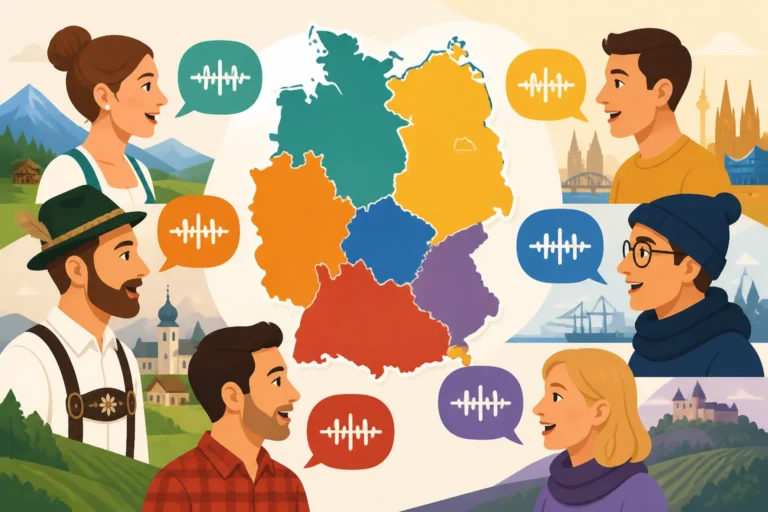
Dialect is the big one. An app trained on standard German can stumble over Bavarian, Swabian, or broad Saxon speech, especially through voice mode. If someone in a village pub answers you in heavy dialect, smile and ask them to type it or speak slowly. For a heads-up on what you might hear, see German Regional Dialects and Accents: What to Expect.
Handwriting is the other weak spot. Chalkboard specials outside cafés, handwritten notes on bakery counters, and old-fashioned script on rural signs can confuse camera mode. Try moving closer, improving the lighting, or typing the words you can make out. Bad lighting in beer cellars and Christmas markets after dark causes similar trouble, so switch on your phone’s torch if the app allows it.
Building a Full Offline Travel Kit
A translation app is only one part of staying functional without data. The travellers who handle German dead zones best treat their phone like a prepared notebook, with everything important saved before they need it.
Saving Bookings and Addresses Offline
Your bookings hold vital information in German, such as street addresses, platform details, and meeting points. If you book trains or buses through Omio, save your ticket and confirmation to your phone so you can open them without a connection. Do the same for tours booked on GetYourGuide. Meeting-point descriptions are often specific, and you’ll want them readable when you’re standing on a cobbled square with no signal.
For accommodation, I screenshot the Booking.com confirmation page that shows the hotel’s full German address. Then I add the hotel’s phone number to my contacts. Showing a taxi driver a screenshot of “Hauptstraße 12, 79822 Titisee-Neustadt” is far more reliable than trying to pronounce it. If you’re travelling rurally, read How to Plan a Black Forest Trip Without a Car as well, since buses and small stations there are exactly where signal fades.
Rail apps deserve their own preparation. How to Use the DB Navigator App in Germany covers how to keep tickets and journey details accessible. Combined with offline translation, you’ll be able to read station announcements on the display boards and follow rerouting notices even when your data dies.
Creating a Personal Phrasebook
Most translation apps let you star or save translations. Before your trip, build a personal phrasebook of the sentences you’re likely to need, saved in both languages. Starred phrases are quick to pull up when you’re flustered.
- Write down ten to fifteen situations you expect, such as checking in, ordering, asking about a delay, or mentioning an allergy.
- Type each sentence in English and save the German translation.
- Ask a German-speaking friend or a tutor to check the important ones, especially anything medical or allergy-related.
- Screenshot the most critical phrases into a dedicated photo album as a second backup.
- Practise saying a few of them out loud so you’re not entirely dependent on the screen.
A short allergy card is especially valuable. Something like “Ich habe eine Nussallergie. Enthält das Gericht Nüsse?” (“I have a nut allergy. Does this dish contain nuts?”) shown on screen gets a careful, direct answer from German waiters, who tend to take this seriously.
Learning a Few Words Anyway
Here’s the honest truth after years living here: the app gets you through the moment, but a handful of German words changes the whole interaction. Opening with “Entschuldigung, sprechen Sie Englisch?” before pulling out your phone signals respect, and people respond to that. Germans are often more patient with a struggling visitor who has tried than with one who simply holds a phone in their face.
Start with greetings, please and thank you, numbers, and “Ich verstehe nicht” (“I don’t understand”). Survival German for Travelers: Key Phrases to Learn First is a good starting list. Pair those few words with an offline app you’ve tested in airplane mode, and dead zones become a minor inconvenience instead of a travel nightmare.
Disclaimer
This article is for general informational purposes only and does not constitute professional advice. Laws, prices and regulations vary by location and change over time. Consult a qualified professional for guidance on your specific situation.